AI driveway visualization
Upload a photo of your driveway. See renovations instantly.
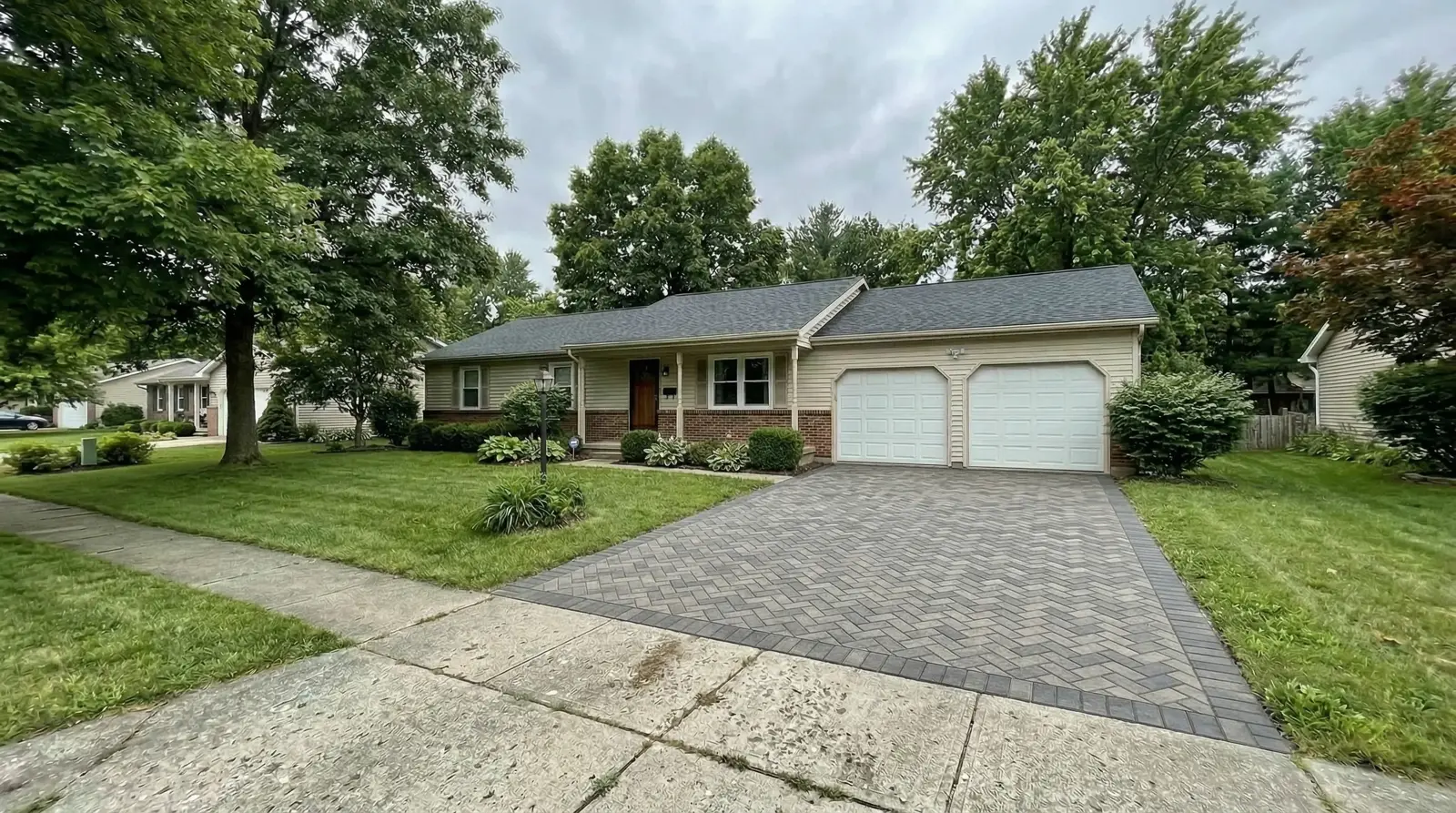
DrivewAI is built for AI driveway visualization: realistic driveway renderings from your actual property photo, so you can compare materials before calling contractors.
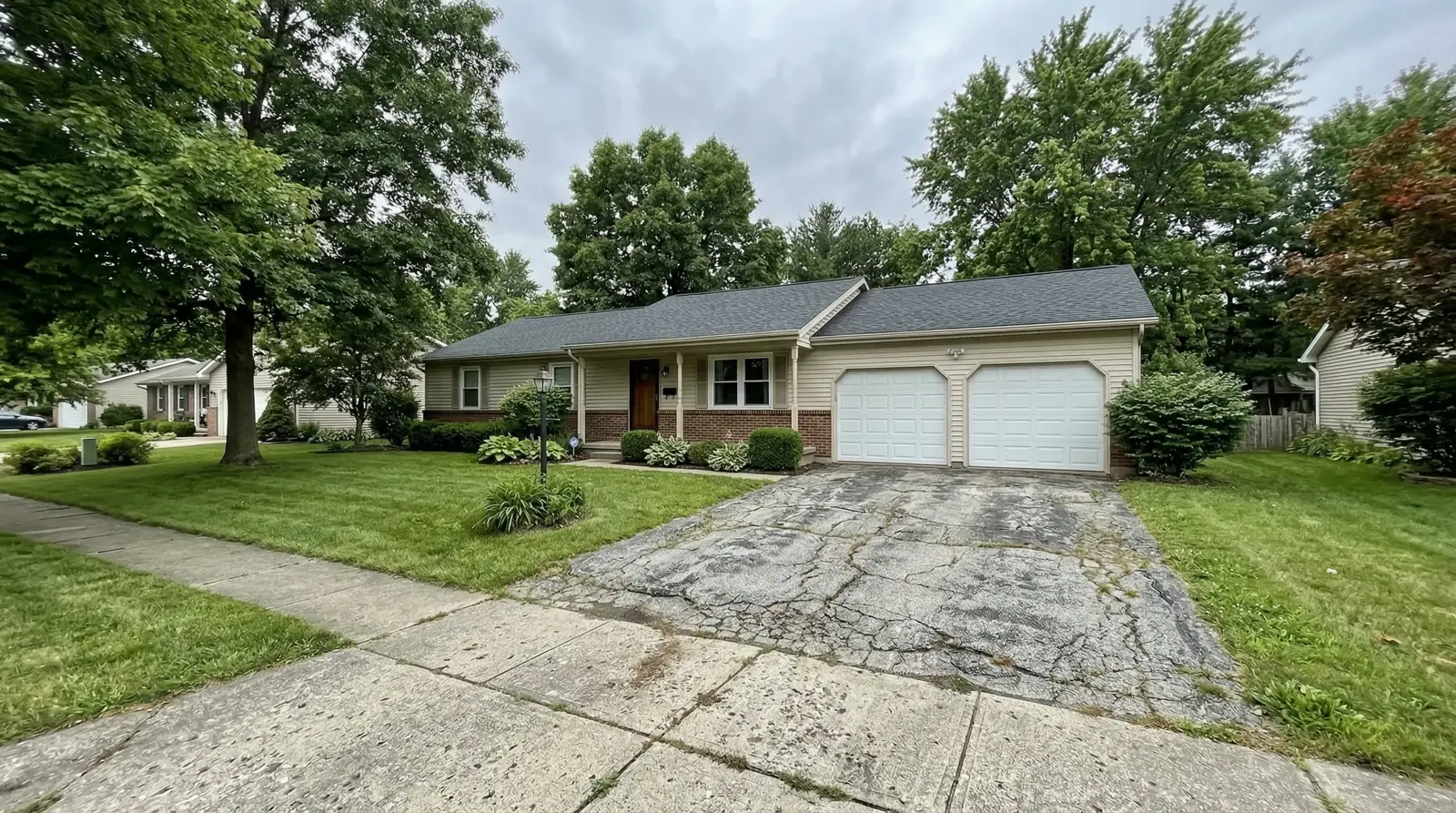
Original photo
AI driveway rendering
TRY IT ON YOUR HOME
Upload your driveway photo — see renovations in minutes
Driveways, walkways and front steps. Your first preview is free.
Try your photo →$9 once to unlock 3 total options + 3 refinements. No subscription.Workflow
How driveway visualization works
Upload a photo of your driveway
Use a clear street-view or curb-view photo that shows the full driveway, garage transition, lawn edges, slope, and nearby planting.
Choose a material direction
Preview pavers, stamped concrete, natural stone, modern concrete, brick, or asphalt on the same property photo.
Compare before bids
Use the rendering to decide what is worth pricing, then confirm drainage, base, thickness, permits, and installation details locally.
Buildable visual checks
The render should feel possible, not just pretty
A useful AI driveway rendering keeps the property recognizable and makes the material direction easier to price, discuss, and refine.
The garage, house, roofline, lawn, trees, and street context still match the original photo.
Paver scale, concrete seams, borders, and surface boundaries look believable for the driveway size.
The rendering respects slope, drainage direction, curb transitions, and entry path context.
The output helps compare material direction without pretending to be a construction plan.
Planning tools
Use these before and after the visualization
Visual decision layer
Compare the look of materials on the actual property photo before narrowing the bid scope.
Not a measurement tool
Use calculators and contractors for width, slope, base, drainage, and installation details.
Confirm locally
Final color, brand, code, permits, and drainage decisions should be confirmed with local pros.
FAQ
AI driveway visualization questions
AI driveway visualization uses an uploaded photo of your driveway to create realistic before-and-after previews of new driveway materials, borders, and curb appeal changes on the same property photo.
No. It is a visual planning tool. You can use it to compare materials before getting bids, but final measurements, drainage, base depth, permits, and installation details still need a contractor or local professional.
DrivewAI supports stamped concrete, interlocking pavers, natural stone, modern concrete, brick, and asphalt driveway previews from a real photo.
A useful driveway visualization keeps the same property context, believable material scale, realistic seams and borders, and enough before-and-after clarity to help you decide what to price with contractors.