AI driveway rendering
Render a new driveway on your actual photo.
DrivewAI creates realistic AI driveway renderings from a real driveway photo, so you can compare materials before talking to contractors or paying for samples.
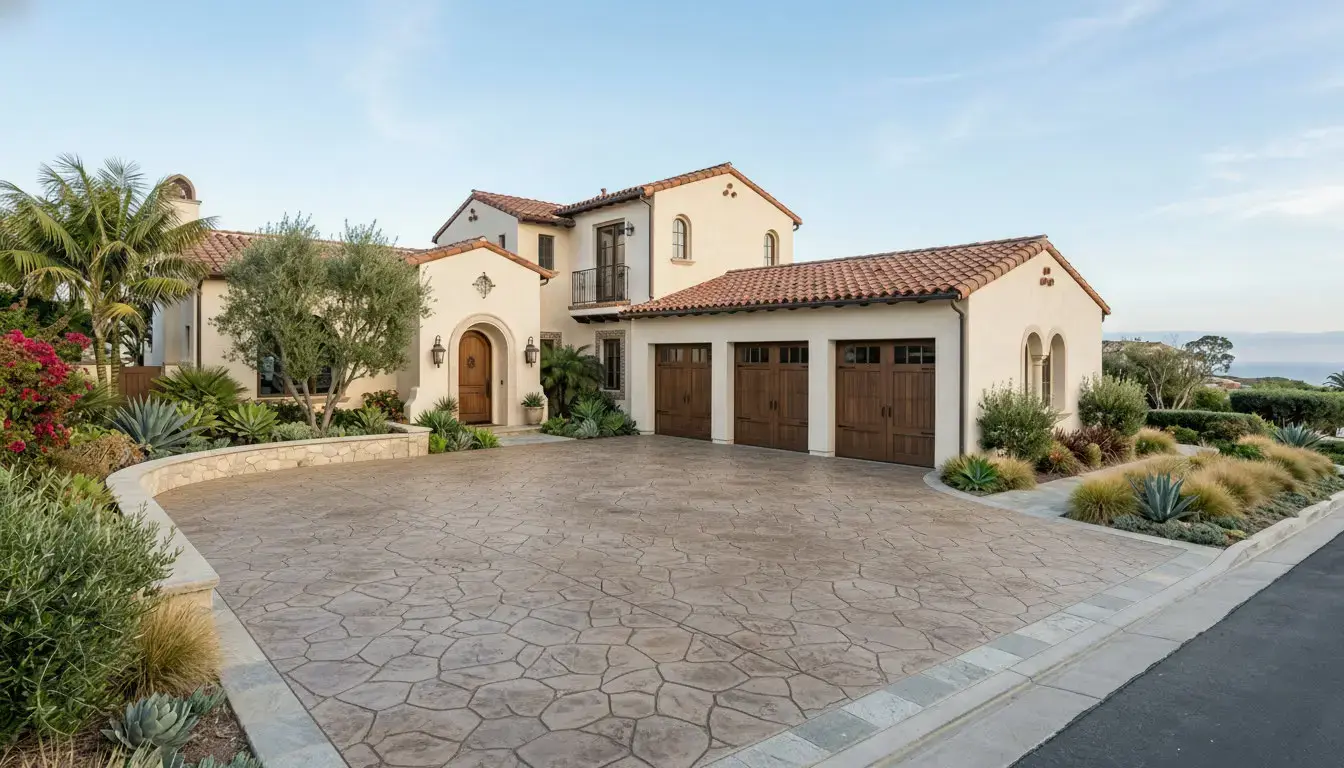
Stamped concrete rendering
TRY IT ON YOUR HOME
Render your driveway in any material — start your $5 trial
Driveways, walkways and front steps. Your first preview is free.
Try your photo →$9 once to unlock 3 total options + 3 refinements. No subscription.Rendering quality
What makes a driveway rendering useful?
Preserve property geometry
The rendering should keep the house, garage opening, curb line, lawn edge, trees, and camera perspective recognizable.
Use believable material scale
Pavers should not look oversized, concrete seams should follow plausible spacing, and brick or stone textures should respect the driveway size.
Respect driveway boundaries
The output should avoid spilling material onto lawn, walls, cars, doors, or planted areas unless you explicitly asked for those areas to change.
Stay useful for real decisions
A good rendering helps you decide which material direction is worth pricing with contractors.
Materials
Driveway materials worth rendering first
Small samples do not show how a material reads across the full driveway. A rendering helps compare the whole street-view effect.
Interlocking pavers
Best when you want pattern, border detail, and repairable sections.
Stamped concrete
Best for decorative texture with a continuous poured surface.
Modern concrete
Best for cleaner joints, simple slabs, and contemporary homes.
Asphalt
Best for budget-sensitive long driveways and a simple dark surface.
Brick
Best for traditional homes where color and pattern carry curb appeal.
Natural stone
Best for premium homes where irregular texture fits the architecture.
Start with a real photo
The strongest renderings come from clear photos with full driveway boundaries and property context.
Compare direction
Use AI rendering to decide whether a material is worth pricing, not as a final spec sheet.
Confirm details
Final product, color, base, slope, drainage, and code decisions still need local review.
Related proof
See how driveway rendering fits the full planning workflow
FAQ
AI driveway rendering questions
AI driveway rendering turns an uploaded driveway photo into a realistic before-and-after preview. The goal is to preserve the real property photo while changing the driveway material, border, or visible finish direction.
A visualizer is the broader planning experience. Rendering is the actual generated image that shows a material like pavers, stamped concrete, asphalt, brick, stone, or modern concrete on your photo.
No. It is best for narrowing direction before bids. Final color, product brand, drainage, base, slope, permits, and installation details should be confirmed with contractors and local requirements.
The strongest renderings preserve geometry, keep material scale believable, follow driveway boundaries, maintain lighting, and avoid changing parts of the home or yard that should stay the same.