Last updated: May 2026 · By Noah James
How to take a driveway photo for AI rendering
A better photo creates a better AI driveway rendering. Use a clear angle, full driveway framing, daylight, and enough street-view context for the AI to preserve geometry, drainage, material scale, and curb appeal.
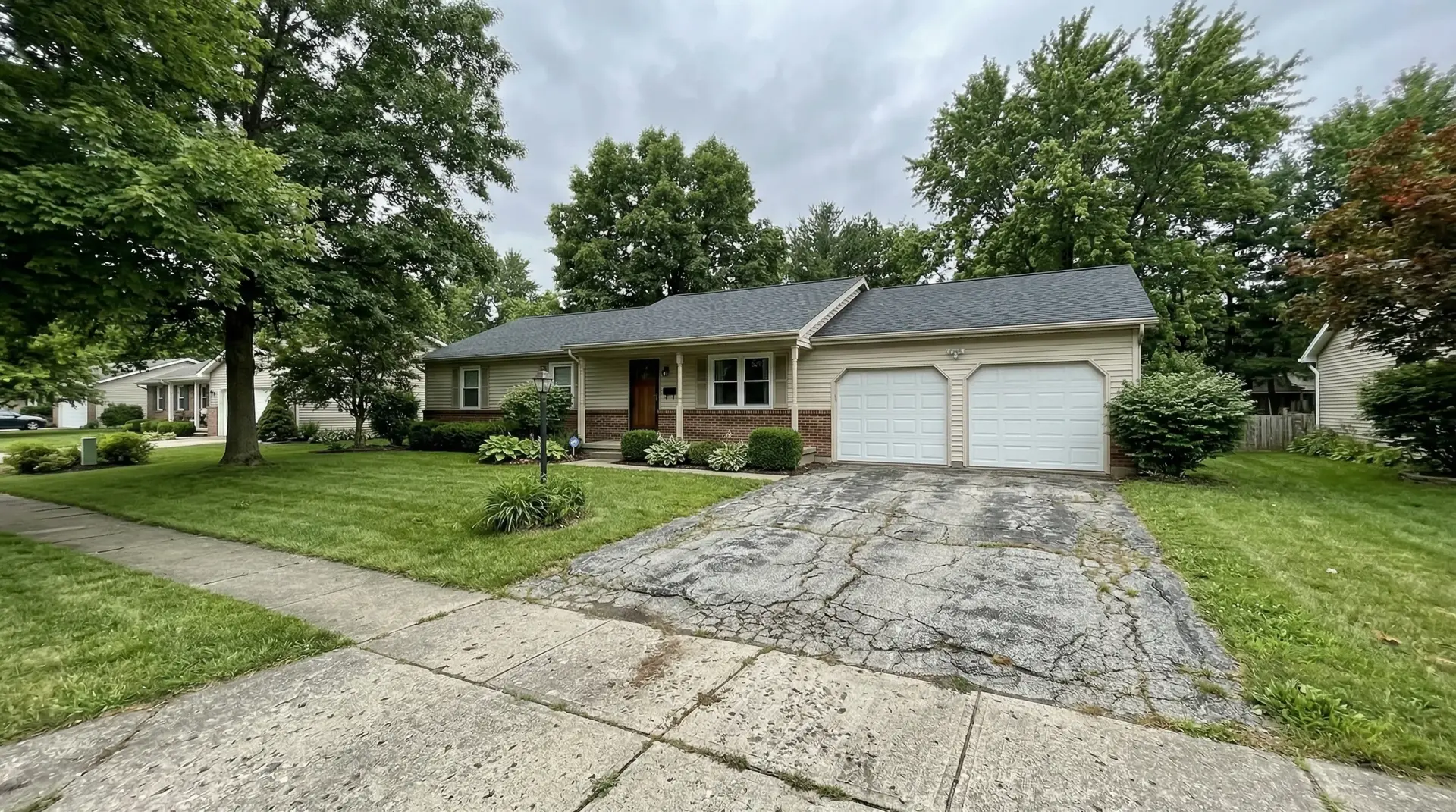
Quick rule
If a contractor would need to see it, keep it in the photo: edges, slope, garage, entry, and street apron.
Show the house context
Include the garage, front entry, visible facade, lawn edge, and planting so the material fits the whole street view.
Show the full surface
Frame the apron, edges, garage transition, and full width so pavers, concrete joints, borders, and seams scale correctly.
Use clean daylight
Bright overcast or soft daylight is ideal. Avoid night photos, blown-out sun glare, and heavy shadows across the driveway.
Include drainage clues
If slope, standing water, trench drains, or low spots matter, keep them visible so the render direction stays buildable.
Photo checklist
Take the photo like the driveway is the product.
The goal is not a dramatic real estate photo. The goal is a useful driveway photo. The AI needs to understand the driveway boundary, perspective, surface texture, garage transition, entry path, and nearby planting so the new material looks like it was actually installed there.
Stand at the street or sidewalk, hold the phone level, and use the normal camera lens. Include enough of the house to judge style, but keep the driveway large enough that material seams, paver scale, and borders have room to render.
| Mistake | Why it hurts | Better move |
|---|---|---|
| Too close | The AI cannot see the driveway edges, garage transition, or street apron. | Step back until the full driveway is visible. |
| Too much car coverage | Cars hide the surface, border, slope, and material scale. | Move vehicles or take a second angle without them. |
| Extreme wide angle | The driveway geometry bends and paver or joint spacing can look wrong. | Use the normal phone lens, not ultra-wide. |
| Harsh shadows | Dark shapes can turn into false borders, stains, or material changes. | Shoot earlier, later, or on a bright cloudy day. |
| Wet glare | The driveway color and seams become harder to read. | Use a dry photo unless drainage is the specific issue. |
Buildable output
Good input helps the render stay realistic.
Driveway AI should not just make the surface prettier. It should preserve the house, keep slope believable, maintain material scale, and avoid artifacts around edges, garage doors, and planting. A clean source photo gives the model fewer ambiguous areas to guess.
Do not crop out the boring parts
The street apron, lawn edge, garage threshold, and walkway are what make an AI driveway rendering feel installable. Cropping them out can make the final material look less anchored to the real home.
Ready to see driveway renovations instantly?
Upload the clearest driveway photo you have. You can compare materials, borders, entry path ideas, and curb appeal changes on the same property photo.
Upload a driveway photoTRY IT ON YOUR HOME
Got your photo? Drop it here.
Driveways, walkways and front steps. Your first preview is free.
Try your photo →$9 once to unlock 3 total options + 3 refinements. No subscription.FAQ
Driveway photo questions
Use a straight, natural street-view angle that shows the driveway, garage, entry path, and nearby planting. Stand far enough back that the full driveway is visible, but not so far that the driveway becomes tiny in the frame.
Remove cars if possible. A parked car hides driveway boundaries, surface condition, slope, joints, and edge details. If you cannot move a car, take a second photo from another angle so the full surface is still visible.
Cloudy daylight is usually good because it avoids harsh shadows. Rainy photos can work if the driveway is visible, but wet glare and puddles may make material scale, seams, and color harder to render realistically.
AI driveway rendering needs clear boundaries, perspective, lighting, and surface context. A better photo helps preserve geometry, keep drainage believable, place material seams at the right scale, and avoid strange artifacts.