Contractor Workflow
Driveway design software for contractors
Use AI driveway rendering to show homeowners realistic material options on their own property photo before they commit to a surface, border, or curb appeal direction.
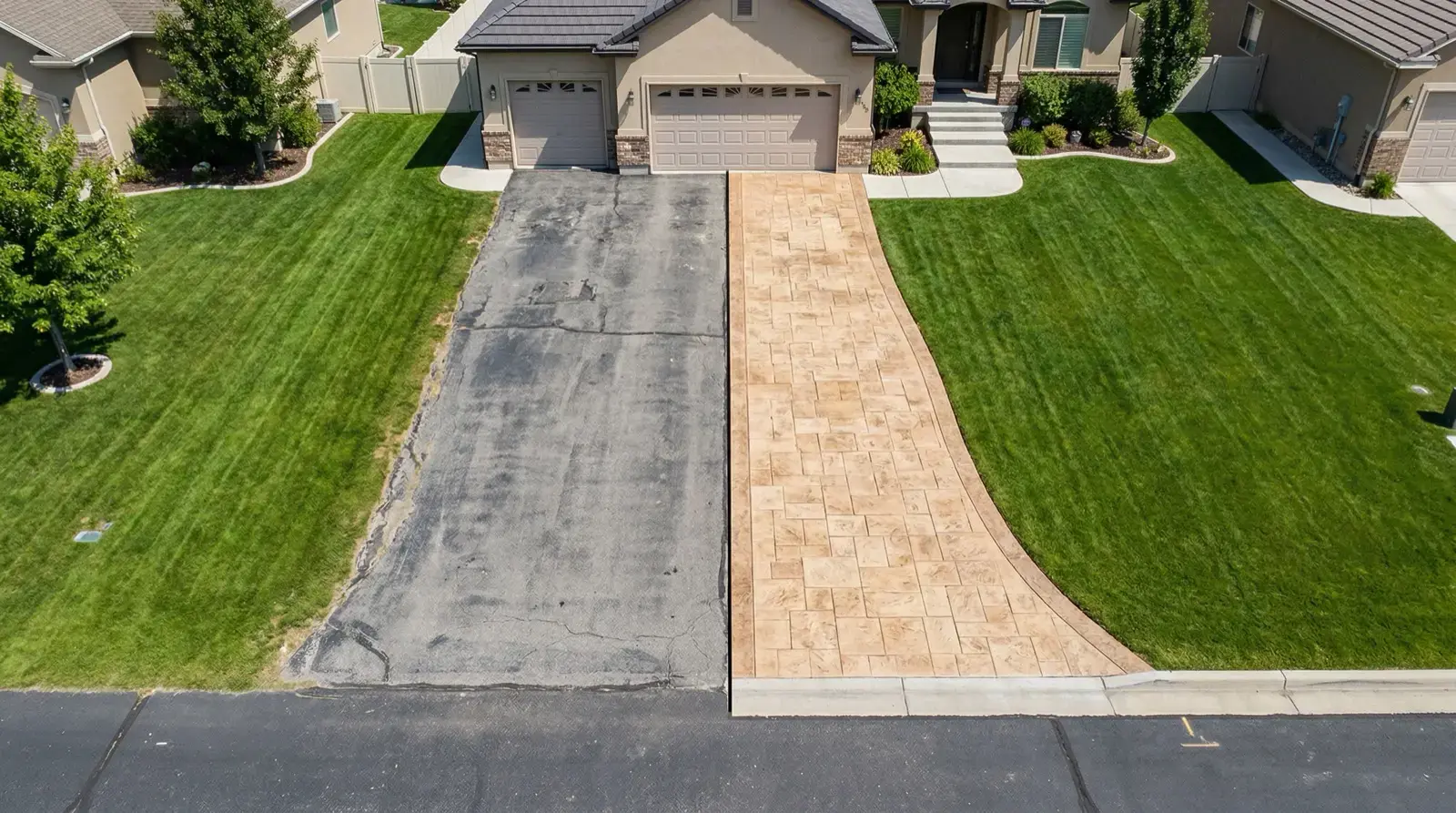
Sales use case
Help the homeowner see the outcome before they get stuck comparing material names and quote totals.
Use the real property photo
The client sees their garage, lawn, entry, slope, and curb appeal context instead of a generic catalog image.
Limit the options
Show two or three realistic directions that match budget, drainage, home style, and your preferred install method.
Tie the render to scope
A rendering should support the estimate, not replace the written details about base, joints, edge, and warranty.
Move faster after the visit
Send a visual follow-up before the homeowner forgets the conversation or starts comparing unrelated ideas online.
Client workflow
The render should make the estimate easier to understand.
A homeowner does not buy a base depth, a paver pattern, or a concrete finish in isolation. They buy the confidence that the front of the house will look better after the work is done. DrivewAI gives contractors a fast visual layer for that conversation.
The strongest workflow is not endless concepts. It is a small set of buildable options: one budget-conscious surface, one higher-curb-appeal surface, and one option with the border, entry path, or planting cleanup that makes the project feel complete.
| Moment | How to use the rendering |
|---|---|
| First consultation | Show the homeowner what pavers, stamped concrete, asphalt, or modern concrete could look like before samples. |
| Estimate follow-up | Attach a rendering to the quote so the client remembers the visual outcome, not only the price. |
| Upsell border or entry work | Show how a border, apron, walkway, or nearby planting can make the driveway look finished. |
| Resolve indecision | Compare two materials side by side when a couple or property owner cannot agree on the direction. |
| Avoid scope drift | Use the rendering as a visual reference while the written bid defines what is actually included. |
Tool fit
Use each tool for the job it is actually good at.
AI driveway design is the visual decision layer. It does not replace measurements, drainage planning, material samples, or the written contractor estimate. It makes those decisions easier to explain.
| Tool | Best use | Role |
|---|---|---|
| DrivewAI | Fast AI driveway renderings from a real property photo | Sales consults, material comparison, homeowner confidence |
| Landscape CAD software | Scaled plans, 3D models, plant libraries, construction documents | Detailed landscape design and technical planning |
| Manufacturer samples | Real product color, texture, brand, and availability | Final material selection after the client likes a direction |
| Contractor estimate | Base, drainage, warranty, exclusions, timeline, payment terms | The binding project scope and price |
Make the visual match the written scope.
Before the final client render, check that the quote covers removal, base, drainage, slope, material specs, borders, timeline, and warranty.
Open the bid checklistTRY IT ON YOUR HOME
Render a client's driveway in 3 minutes — start your $5 trial
Driveways, walkways and front steps. Your first preview is free.
Try your photo →$9 once to unlock 3 total options + 3 refinements. No subscription.FAQ
Contractor driveway design software questions
Yes. Contractors can upload a homeowner's driveway photo, generate a few realistic material directions, and use those renderings during follow-up or sales conversations. It is best for visual comparison, not for replacing technical plans, measurements, permits, or engineering review.
DrivewAI supports stamped concrete, interlocking pavers, natural stone, modern concrete, brick, and asphalt for driveway rendering. A contractor can also include nearby exterior, entry path, or landscaping changes when those scopes are visible in the photo.
AI driveway rendering is useful for choosing direction, material fit, curb appeal, and client preference. Exact color, brand, drainage design, base depth, and installation details still need contractor specifications and samples.
DrivewAI runs on a subscription model. Contractor Pro is $149.00/month for unlimited generations, Address Assist, measurement notes, and a past quote library. Individual use starts with a $5 trial, then $14.99/month for unlimited renders across all services.